
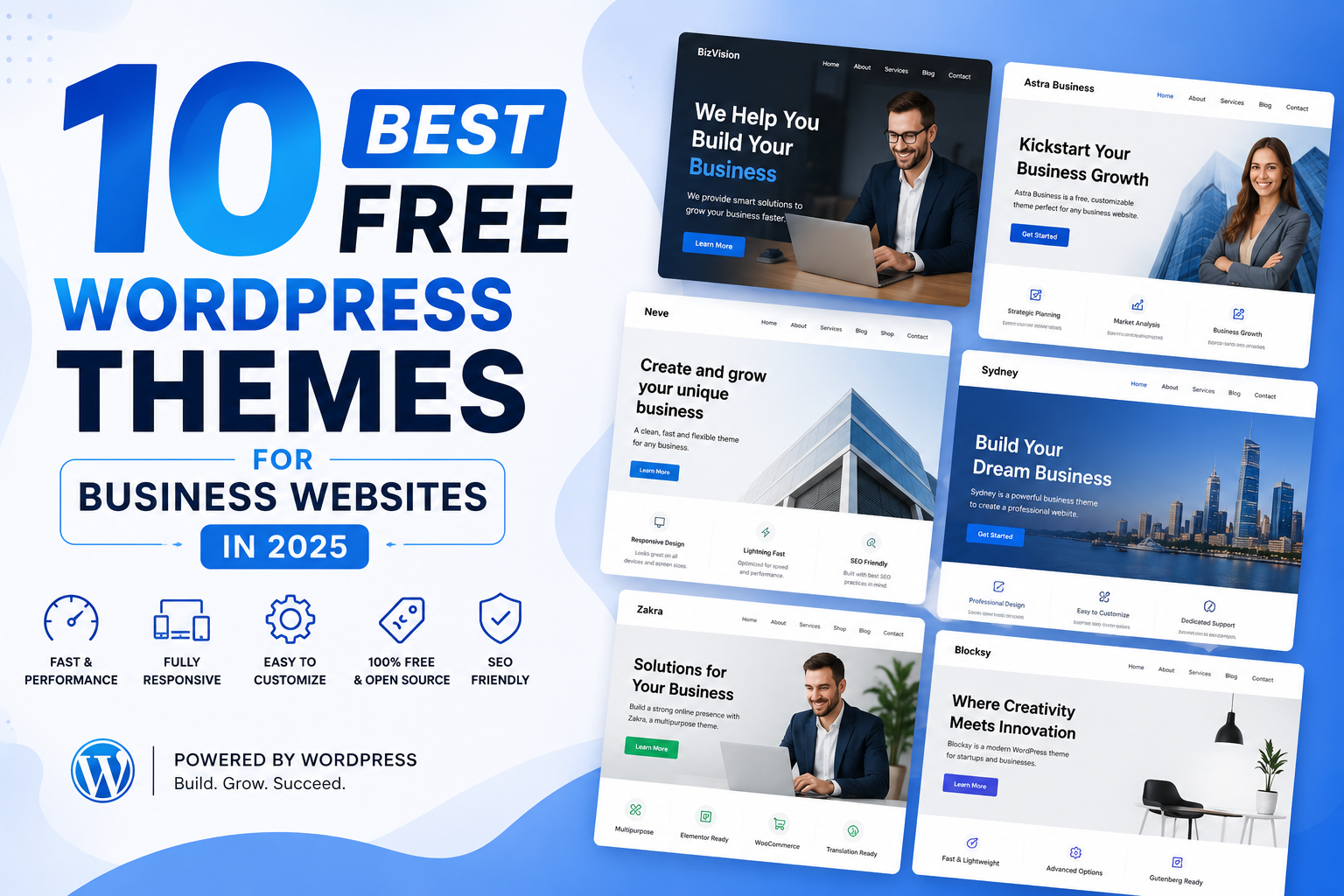
Most theme roundup articles stop at screenshots and feature bullets. Forty-three percent of all websites run on WordPress, and your theme choice sets your Core Web Vitals score before you publish a single page. This guide ranks the ten best free WordPress themes for business websites by speed, active installs, WooCommerce support, and update track record.
What Makes a Free WordPress Theme Business-Ready
A free WordPress business theme must do more than look professional on a desktop screen. It needs to load under two seconds on mobile and pass a Google PageSpeed Insights audit above 90. Schema markup that search engines can read without extra plugins must also come included at no cost.
Update frequency is the criterion most buyers miss. Any free theme without an update within 60 days of a WordPress core release carries real compatibility and security risk. WordPress ships major updates three times per year, and themes that lag behind break checkout pages and block editor layouts without warning.
WooCommerce compatibility matters even if you are not selling products today. A theme with native WooCommerce support covers product pages, cart overlays, and checkout styling from day one. That foundation lets you add ecommerce features later without rebuilding your entire site.
How We Selected and Ranked These Themes
Each theme on this list passed four tests before earning a spot. The requirements: over 10,000 active installs on the official WordPress theme repository, a 4.5-star or above WordPress.org rating, at least one update in the past three months, and a Pingdom speed time under two seconds on shared hosting. No theme skipped any of the four.
We also checked every theme's changelog for security patches released in 2024. We removed any theme without at least two security-related updates in the past 12 months. Popularity did not earn a pass on that test.
Have you checked when your current theme last received a security update? The official WordPress security team identifies outdated themes as the top entry point for site compromises. The answer should be within the last 60 days.
The 10 Best Free WordPress Themes for Business Websites
1. Astra

Astra crossed one million active installs faster than any WordPress theme in the directory's history. The theme loads in under 0.5 seconds on a clean install and ships with over 180 starter templates. It pairs with Elementor, Beaver Builder, Divi, and the native Gutenberg editor.
For business owners, 40 of those starter templates cover service businesses, agencies, and online stores. You import a full homepage layout in one click. Then you adjust fonts, colors, and sections through Appearance > Customize without writing code.
Astra's free WooCommerce support handles product pages, cart layout, and checkout styling natively. You do not need the premium version to sell products or run a complete online store.
Active Installs: 1,000,000+
WordPress.org Rating: 5/5
Best For: Small businesses, agencies, ecommerce stores, freelancers
2. OceanWP
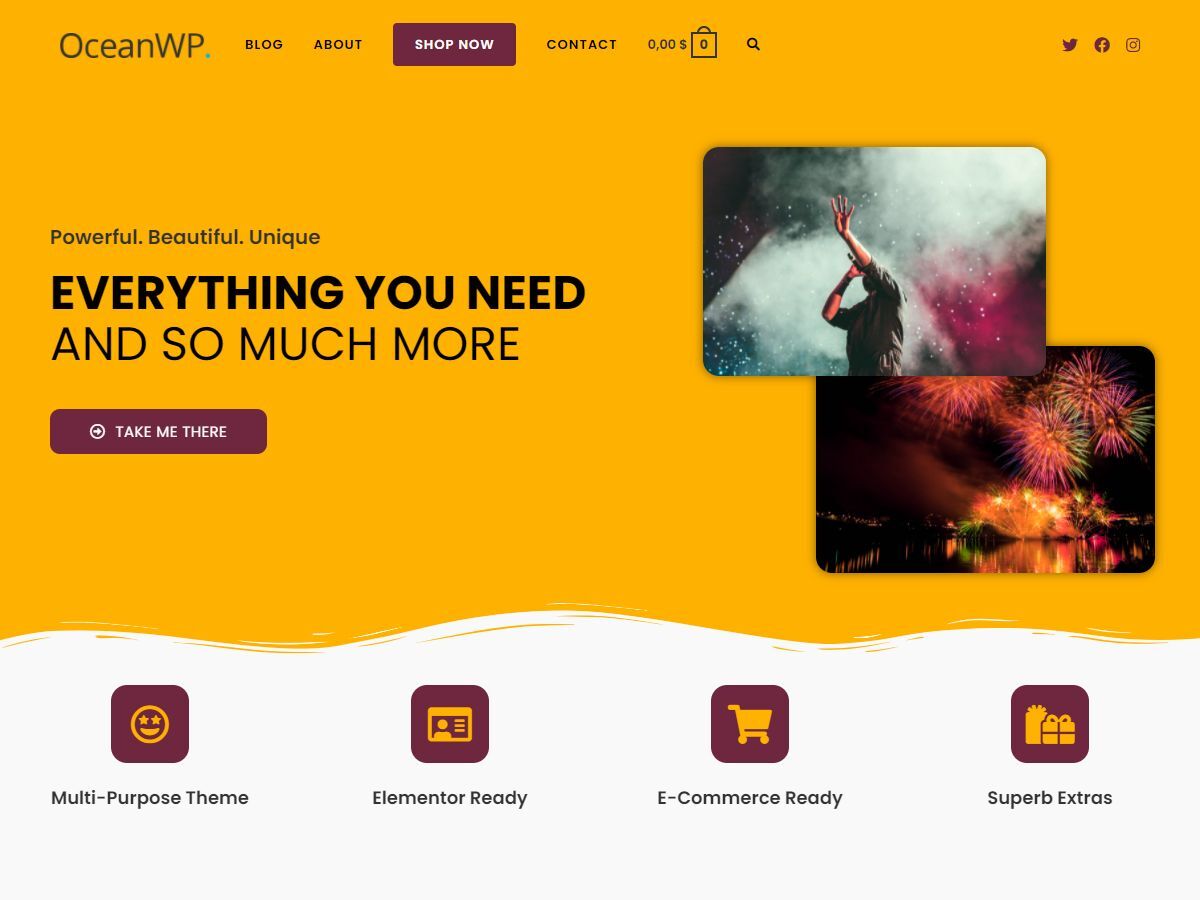
OceanWP holds over 700,000 active installs and a free feature set most paid themes charge extra for. The free version includes header customization, multiple blog post layouts, and a full WooCommerce product page styling panel. You pay nothing to access these features.
The built-in WooCommerce distraction-free checkout is what separates OceanWP from the rest of this list. It strips the site header and navigation from the checkout page. Buyers see nothing to click away to before completing their purchase.
Access this setting under Appearance > Customize > WooCommerce > Checkout. No plugin required.
Active Installs: 700,000+
WordPress.org Rating: 5/5
Best For: WooCommerce stores, portfolios, service businesses.
3. Neve
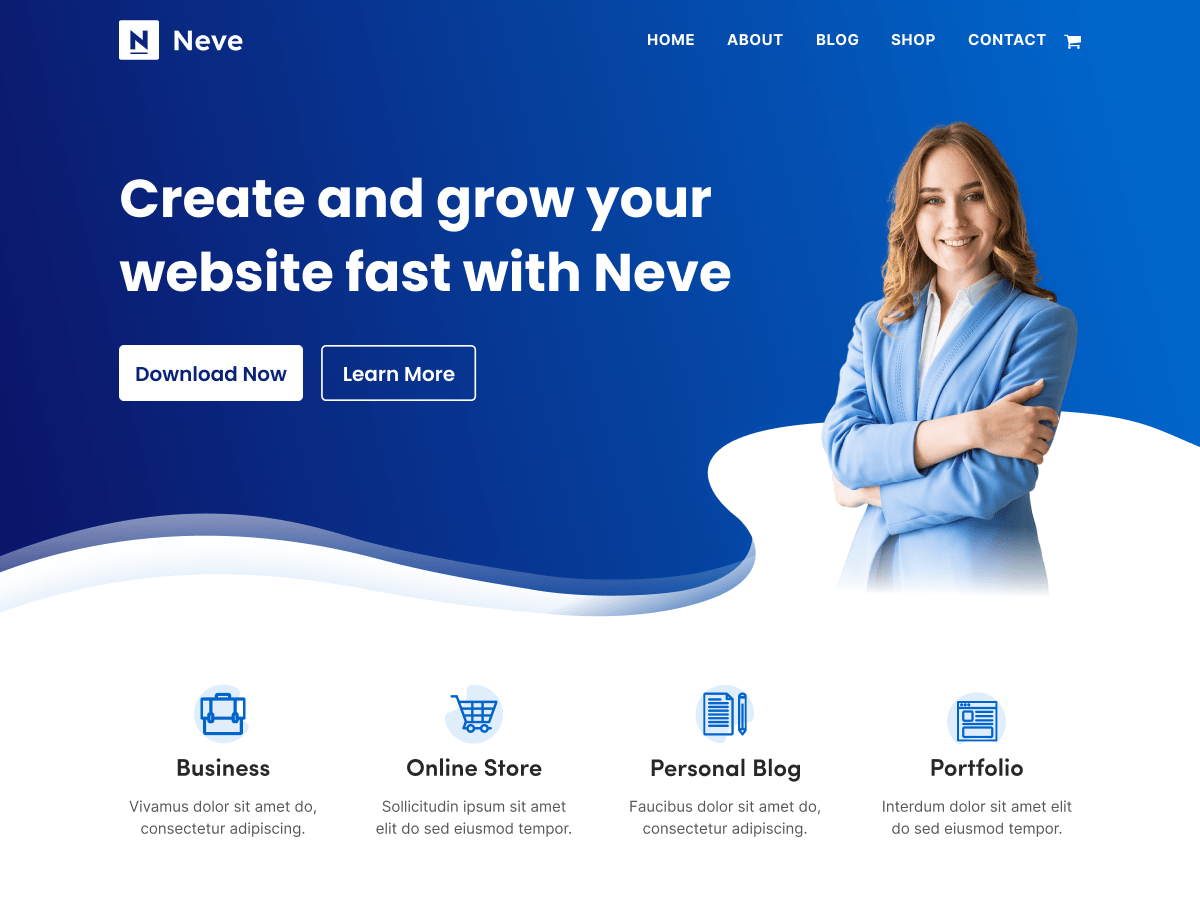
Neve clocks under 400 milliseconds load time in documented tests and holds over 300,000 active installs. Its mobile-first architecture builds layouts from the smallest screen upward. This approach produces better Core Web Vitals scores on real devices than scaling down from desktop.
Is your homepage losing mobile visitors before they reach your call to action? Neve's default stylesheet weighs under 30KB, roughly one-tenth the file size of most traditional business themes.
The free version includes a header builder for rearranging logo, menu, and button positions without code. Starter Sites for consulting firms, digital agencies, restaurants, and law offices ship with one-click import.
Active Installs: 300,000+
WordPress.org Rating: 5/5
Best For: Service businesses, mobile-heavy audiences, agencies
4. GeneratePress

GeneratePress is the theme developers specify when performance is the top priority. The entire theme weighs under 30KB and loads zero JavaScript on the frontend by default. It passes Core Web Vitals on a bare WordPress install without a caching plugin.
The modular architecture lets you activate only the features your site needs. Turn on the WooCommerce module for a store, the blog module for a news section, and nothing else. Each inactive module adds zero page weight.
GeneratePress has over 500,000 active installs and consistent 5/5 ratings across five years of releases. It ships with Schema.org microdata and Google Font support built in.
Active Installs: 500,000+
WordPress.org Rating: 5/5
Best For: Performance-focused builds, developer-managed sites, minimal business pages
5. Kadence

Kadence grew from under 50,000 to over 500,000 active installs in under three years. The header builder, full Gutenberg support, and 150+ business-specific starter templates set it apart from most free business themes. Non-technical users build complete multi-page sites without page builder plugins.
The Live Preview Starter Sites feature imports a homepage, about page, services page, and contact page in one step. You have a working four-page business site before writing a word of your own content.
For WooCommerce users, Kadence includes a cart flyout panel, product page controls, and upsell options in the free version. These features typically appear only in premium themes.
Active Installs: 500,000+
WordPress.org Rating: 5/5
Best For: Non-technical users, multi-page business sites, WooCommerce stores
6. Rara Business

Rara Business is purpose-built for corporate and consulting websites. A video banner, dedicated team member grid, testimonials section, and schema-marked services section all ship in the free download. No paid upgrade required to access any of them.
The theme customizer includes over 1,400 Google Font options and a real-time color preview panel. RTL language support and one-click demo import come standard. Rara Business works well for businesses targeting Arabic, Hebrew, or Persian-speaking audiences.
Its schema markup feeds your services data to Google Search directly. This can produce rich snippet results without extra SEO plugin setup.
Active Installs: 186,000+
WordPress.org Rating: 5/5
Best For: Consultants, corporate websites, international service businesses
7. Hestia
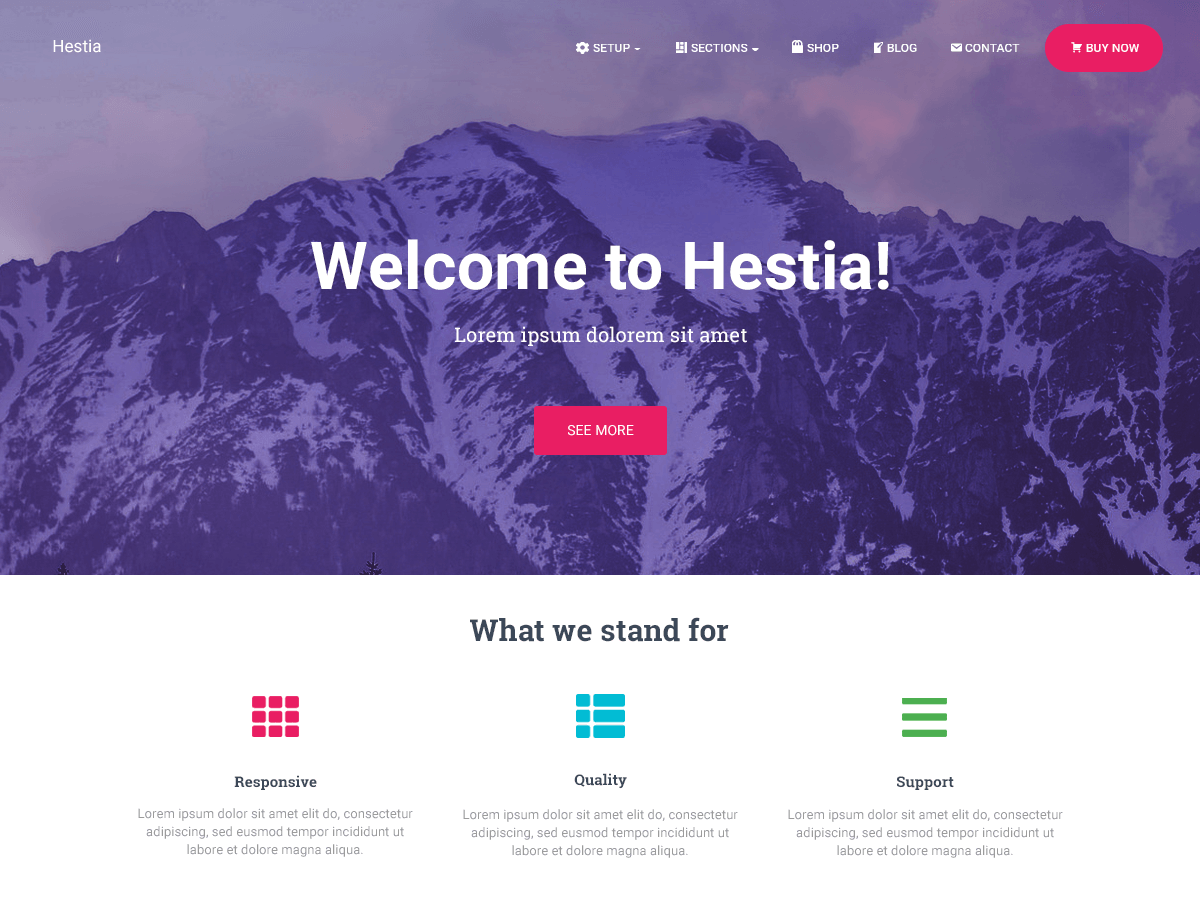
Hestia is a Material Design single-page business theme built for startups and product launches. The full-width hero section, scroll-to-section navigation, and built-in portfolio grid come free. Product-focused companies get a complete landing page structure without paid upgrades.
The theme passes Google's Mobile-Friendly Test on a fresh install without any configuration changes. Starter content imports a working homepage with placeholder layout in under two minutes.
Hestia pairs with the free Orbit Fox plugin to unlock a tabbed features section and pricing table. The theme does not include these sections without that pairing.
Active Installs: 70,000+
WordPress.org Rating: 5/5
Best For: Startups, product launches, single-page company sites
8. Blocksy

Blocksy is the right choice for any business site running WordPress 6.0 or higher. Its block-based template editor replaces PHP template files with a visual editing workflow. Every layout you build works inside the WordPress Site Editor without a page builder plugin.
The free version includes a performance mode that loads Google Fonts locally. This keeps your site GDPR-compliant by preventing visitor IP transfers to Google's CDN. Six niche starter sites cover a law firm, real estate agency, medical practice, restaurant, photography business, and consultancy.
Active Installs: 200,000+
WordPress.org Rating: 5/5
Best For: WordPress 6.x full-site editing, professional service firms, compliance-aware builds
[IMAGE: Blocksy WordPress Site Editor open in block editing mode on a business homepage | Alt text: "Blocksy free WordPress business theme inside WordPress 6 full-site editor"]
9. Customizr

Customizr uses a hook-based architecture that lets developers override any template output without modifying theme files directly. Agencies building client sites use it to avoid patching theme core files after every WordPress update. Long-term site maintenance becomes a much lighter workload.
The free version includes a full-width slider with parallax scrolling, custom call-to-action button blocks, and lazy image loading. Each of these features improves Core Web Vitals scores for content stability. WooCommerce, bbPress, WPML, and Jetpack are all compatible at the free level.
Active Installs: 60,000+
WordPress.org Rating: 4.5/5
Best For: Developer-managed client sites, multilingual builds
10. Vantage

Vantage pairs tightly with the free SiteOrigin Page Builder plugin to create drag-and-drop business layouts using pre-built widget rows. The theme includes retina-ready display support, full WooCommerce styling, and a widget library with contact forms, pricing tables, and sliders.
Browse the free WordPress themes for business on SimplyFreeCode for additional niche options covering legal, medical, and retail businesses alongside this list.
Active Installs: 60,000+
WordPress.org Rating: 4.5/5
Best For: eCommerce businesses, SiteOrigin-based layouts
Plugins That Make Any Free Business Theme Stronger
A free theme handles your layout and design. Three free plugins cover the functional gaps that business sites cannot run without.
Yoast SEO generates your XML sitemap and controls meta titles, descriptions, and schema markup. Use it regardless of which theme you choose.
WPForms Lite adds a drag-and-drop contact form to any page in under five minutes. All ten themes on this list pass WPForms Lite compatibility without code modifications.
WooCommerce converts any WordPress install into a full online store. SimplyFreeCode's free WordPress plugins section carries WooCommerce payment extensions, display tools, and inventory add-ons at no cost.
Common Free WordPress Business Theme Problems and How to Fix Them
Problem: Homepage layout breaks after a WordPress core update.
Cause: The theme uses deprecated template functions removed in the new WordPress version.
Fix:
- Go to Appearance > Themes and check the "Last Updated" date shown under your active theme name.
- If the last update falls more than 90 days after the current WordPress release date, switch themes immediately.
- Install a child theme before the next WordPress update to protect your custom CSS from overwrite.
Problem: WooCommerce product pages show unstyled or broken layouts after theme activation.
Cause: The theme has no WooCommerce template override folder. WooCommerce falls back to its default styling, which ignores the theme's design.
Fix:
- Open your active theme folder via FTP or File Manager and look for a /woocommerce/ subdirectory.
- If the folder does not exist, switch to Astra, OceanWP, Neve, or Kadence for full WooCommerce coverage.
- Test your WooCommerce layout on a staging copy before switching themes on a live store.
Problem: Google PageSpeed score drops below 70 after theme activation.
Cause: The theme loads multiple Google Font families or unminified CSS files on every request. This adds 200 to 500 milliseconds to your page load time.
Fix:
- Run your site through Google PageSpeed Insights and look at the "Eliminate render-blocking resources" diagnostic.
- Install the Asset CleanUp: Page Speed Booster plugin and disable unused CSS files per page type.
- Switch to a system font stack in Appearance > Customize > Typography to remove all third-party font requests.
Problem: Mobile menu fails to open or overlaps page content on touch screens.
Cause: A JavaScript conflict between the theme's navigation script and a caching or performance plugin compresses the menu file incorrectly.
Fix:
- Deactivate your caching or performance plugin and test the mobile menu on a real device browser.
- If the menu works after deactivation, re-enable the plugin. Then exclude the theme's navigation JS file from minification in the plugin settings.
- Search the theme's WordPress.org support thread for "mobile menu conflict" to find the exact file to exclude.
Frequently Asked Questions About Free WordPress Business Themes
Q: Are free WordPress business themes safe to use on a live business website?
A: The WordPress Theme Review Team reviews every free theme in the official repository before approving it. Themes cleared through that review process work safely on production sites. Themes distributed outside WordPress.org carry no such guarantee and present real security risk regardless of their visual quality.
Q: Can a free WordPress theme handle a full WooCommerce store?
A: Yes. Astra, OceanWP, Neve, Kadence, and Vantage all support WooCommerce product pages and checkout styling in their free versions. OceanWP includes a distraction-free checkout mode and product page styling controls that comparable paid themes charge for as premium features.
Q: What is the real difference between a free theme and its paid pro version?
A: The free version of a well-maintained theme gives you a fully functional site with core layout and design options. The pro version typically adds starter templates, advanced header layouts, faster support, and deeper WooCommerce controls. For most business sites with standard needs, the free version covers everything needed to launch and operate.
Q: How do I know if a free theme will hurt my Google rankings?
A: Test the theme on a staging site before going live. Install a clean WordPress copy with only the theme and Yoast, then run it through Google PageSpeed Insights. A mobile score below 80 on a clean install gets worse once you add page builders, images, and plugins. Astra, GeneratePress, and Neve all score above 90 on clean installs in published tests.
Q: Can I switch themes on a live business website without losing my content?
A: Your posts, pages, and media library transfer safely when you switch themes. You will need to rebuild your homepage builder layout, widget placements, and menu assignments in the new theme. Always run a theme switch on a staging copy first and verify every page before pushing the change to your live URL.
Q: Do free WordPress business themes cover GDPR requirements for European visitors?
A: Theme-level GDPR compliance covers local Google Font loading and cookie-free script serving. Local font loading prevents visitor IP addresses from reaching Google's CDN. Blocksy and GeneratePress include this in their free versions. Full GDPR compliance also requires a dedicated cookie consent plugin regardless of which theme you use.
Your Next Step After Picking a Theme
Install your chosen theme on a staging environment and run a Google PageSpeed Insights test before adding plugins or content. Your clean-install score is the baseline every future change builds on. Catching a performance problem now costs you nothing.
For a WooCommerce store alongside business pages, start with Astra or Kadence. Both deliver sub-second load times with WooCommerce active in documented tests. For service businesses needing a corporate look without page builder plugins, Rara Business or Blocksy gets you there faster.
Which theme from this list have you tested on a live business site? Drop your experience in the comments below and name the specific business type you were building for. Your real-world feedback helps other readers pick the right starting point.
Comments (0)