
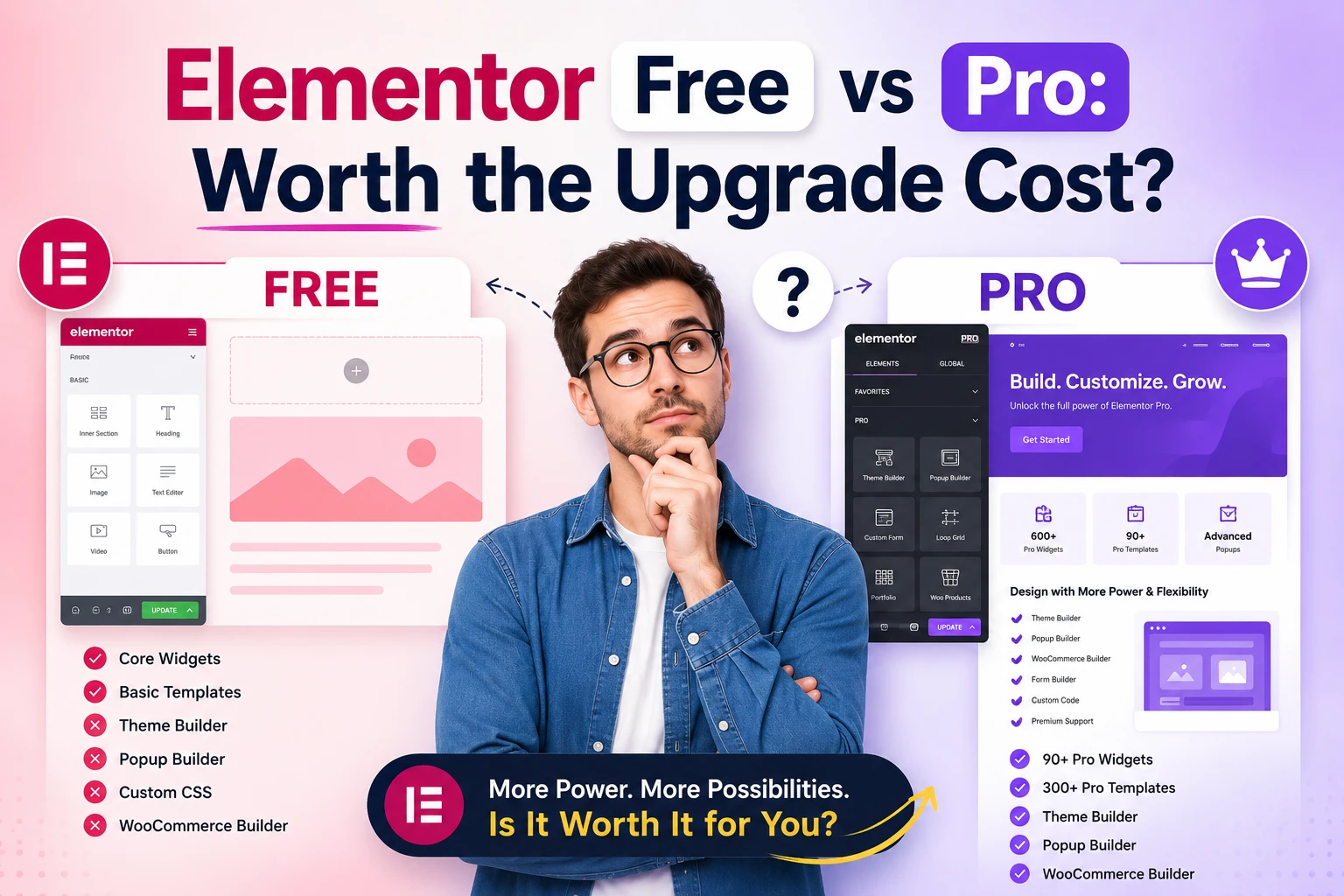
Choosing between Elementor Free and Pro isn't just about features-it's about whether your site can keep up with 2026's demands. Many site owners hit limits with the free version's basic widgets and design tools, while Pro unlocks advanced templates, speed optimizations, and priority support. But does the cost justify the upgrade for your specific needs?
Elementor Free vs Pro: Overview
_1.jpeg)
Elementor Free throws in a few dozen widgets and some starter templates. Most people get by with that on a personal blog. Elementor Pro runs $59 a year for one site, or $199 if you want the unlimited plan. It adds another thirty widgets on top, plus full Theme Builder access and dynamic stuff that actually pulls live data.
Simple pages are rarely the problem. The moment you want a custom header that shows up everywhere, or footers that change per post type, Free starts pushing back. That's usually when people start looking at the upgrade.
Responsive tweaks work fine either way. You drag, you drop, you check it on a phone. Where Pro pulls ahead is when you need product grids that stay current without manual updates, or custom post layouts that aren't fighting the theme.
The 2026 notes mention AI design helpers and better accessibility features heading to both versions. Free users should see a slice of those. The shortcuts and deeper controls stay on the paid side. Pro also brings motion effects, popups, and places to drop your own code without jumping through hoops.
Depends on the site. A hobby blog can stick with Free and be done. Agencies and stores usually end up needing Pro because the Theme Builder alone saves them hours on repeat work.
Key Differences in Features
Elementor Pro throws in Theme Builder, Dynamic Content, and over sixty extra widgets that the free version just doesn't have. Most people working on their own stuff run into walls fast when they try putting together headers, footers, or single post layouts without the premium features that make these layouts possible.
Agencies usually figure this out on day one. The free version keeps things simple for a personal blog or a small project, but once you're juggling client sites the workarounds start eating into your time.
Take a membership site. You might begin with the free tools and then hit the point where you can't build a proper login gate or custom post display without pulling in other plugins. That's when you have to decide whether the workaround is worth the hours.
Each version fits a different kind of user. A hobbyist testing ideas on the weekend is fine with the basics, but anyone running multiple sites or selling products online usually wants the deeper controls from the start.
Design and Customization Tools
Pro gives you motion effects, six different animation types, eleven shape dividers, and sticky headers that follow people down the page. The free version keeps everything pretty static and blocks most of that stuff outright.
Custom font uploads help too. You drop in the one your client signed off on and it shows up wherever you need it without extra CSS or font conflicts later.
ACF, Toolset Compatibility and JetEngine support let you pull dynamic fields into your templates. Author names, custom dates, product options, whatever lives in your database shows up automatically instead of getting typed in by hand.
Pro also unlocks box shadows and blend modes. Small detail, but it adds that last bit of polish that free sites usually miss.
Advanced Widgets and Templates
You're looking at 15-plus post widgets in Pro, full WooCommerce blocks, and over 300 templates against the free version's 30 widgets and 40 templates. The gap shows up the moment you try to build a product archive or checkout page that needs more than the standard layouts.
Loop Builder changes how you handle grids and single post templates. Dynamic tags pull the fields you want, you adjust spacing, and you test different arrangements without juggling extra plugins.
Full WooCommerce Builder covers the product archive, single product page, cart, and checkout. You stay in one visual editor for the whole buying process instead of fighting disconnected sections.
The Pro form builder adds twenty-plus field types and direct Zapier connections. Smaller sites can skip it, but anyone collecting leads regularly usually ends up relying on the automation.
Performance and Speed Comparison
_3.jpeg)
Elementor Pro throws in another 15-25% page weight from all those extra widgets and scripts. The free version keeps things lighter, sure, but you also lose every optimization setting that might actually matter.
Real pages behave differently depending on what you're building. Stick to five basic widgets on the free side and you're looking at 1.2-1.8 seconds on decent hosting. Pull in Theme Builder stuff with Pro and that number jumps another 0.3-0.5 seconds, no surprise there.
Asset loading toggles in Pro let you kill unused scripts before they hit the browser. Free users don't get that choice-you're stuck with whatever files ship. Caching plugins still smooth things over for both, though Pro works better with them since it creates fewer stylesheet conflicts to begin with.
Print method options matter once speed becomes an issue. Pro gives you the choice between inline CSS and external files, which changes how cache layers handle your pages. LiteSpeed Cache and WP Super Cache both pick up on that and adjust. Free locks you into one method that often doesn't line up with your host.
Server specs stay the same either way. PHP 7.4 and 512MB RAM handle both just fine. The difference shows up later when your site grows. Pro stores more settings thanks to all those extra widgets, so database cleanup matters more. Keep at it and both versions stay responsive, but Pro gains more from the extra attention.
Pricing and Value for Money
Elementor Pro runs $59 a year for one site, $99 for three, and $199 for unlimited. That's compared to the free version at $0.
Those three tiers stay the same at renewal. You get 30 days to decide if the paid tools are worth it. Most folks figure that out within the first two weeks once they've tried the extra widgets and builder features.
Black Friday and Cyber Monday usually cut 20-30% off the sticker price. Wait for those and the first year feels less painful.
Look at the competition and the picture shifts. Divi wants $89 every year for unlimited sites. Bricks Builder is a one-time $49. Oxygen hits $129 once and you're done. Elementor stays on subscription, so the math on long-term ownership changes.
Agency folks charge around $500 per client site. At that rate the $59 plan covers itself after one or two jobs. Do a few more and the $199 plan starts making sense too.
If you're only knocking out personal sites every so often, the free version does the job. But once client work shows up, the time you save on layouts and dynamic content shows up in your invoices.
Support and Updates
_4.jpeg)
Elementor Pro gives you priority ticket support with responses inside 24-48 hours plus weekly updates. Free users get the community forum and docs instead. The difference hits you the first time a client site breaks on a Sunday night.
Priority support skips the queue. A real person reads your ticket instead of pointing you at old forum posts. That window stays tight even when support is slammed.
Free support moves slower. The forum covers basic stuff, but anything tricky can sit for days with no reply. The official docs and YouTube videos help only so much. They rarely touch the weird edge cases that pop up mid-project.
Pro also throws in live chat during regular hours and the option to reach a developer directly when things get urgent. On tight deadlines that direct access saves you.
Updates follow different schedules. Pro ships weekly security fixes and monthly new features. The free version only pushes security patches once a month, so new tools land later if they show up at all.
You also receive more than 500 expert tutorials and access to the bigger Facebook group. Paying users can vote on the roadmap, which tends to push features agencies actually request instead of generic ones.
Is the Upgrade Worth It in 2026?
Depends who you ask and what kind of work you're doing. For agencies doing client work, the paid tier still makes sense. For a personal blog or a simple portfolio, you can often skip it. The whole equation shifted once AI tools entered the picture and accessibility requirements tightened up.
Custom forms and dynamic sections expose the gaps fastest. Free users feel it most when a client expects same-day changes and polished branding. The distance between what Elementor Free can handle and what agencies actually need has stretched out.
Stick with the free version if your site stays small and static. Once money or other people's deadlines enter the picture, the free limitations stop feeling minor. It usually boils down to whether the time you spend hacking around them costs more than the upgrade.
Best Use Cases for Free
Elementor Free handles a personal blog with 10 to 15 pages just fine. Updates stay simple, pages load quick, and you never hit a wall.
Portfolio sites keep working smoothly too. The gallery options and contact forms already cover what most people need, and layout tweaks happen directly in the editor without extra fuss. Design flexibility and mobile responsiveness hold up well enough here.
Basic landing pages for lead generation also survive on the free tier. Nonprofits and event organizers can add donation buttons through standard integrations without needing checkout tools. Plenty of people with yearly budgets under $100 - plus beginners and hobbyists - land in this group.
Plugins like Essential Addons and Happy Addons fill in roughly 60 percent of the missing pieces. They add animations and a handful of extra layout options. The problem shows up when you hit a feature that none of those addons fully replace.
When Pro Makes Sense
Agencies running five or more client sites notice the difference right away. The agency license and white-label tools cut down on extra work during handoff. Clients get a clean site without your branding still attached.
WooCommerce Builder users need the pro builder for product templates, cart elements, and checkout flow. Standard templates rarely match the conversion numbers you can pull when you control the shopping path directly.
Membership setups need login flows and content restrictions that work without extra plugins fighting each other. Landing pages that rely on popup builder and A/B testing through marketing integrations also tip the scale. Without those, you usually end up stacking three or four separate tools.
Theme building becomes faster once you can control headers, footers, and global widgets in one place. Developers lean on custom CSS, ACF integration, and the loop builder when starting from scratch. Multisite setups make the single license worth it if you're juggling several projects at once.
Final Verdict and Recommendations
Try the free version first. See how far it actually takes you before you need anything else.
Once client work shows up or you want dynamic content, that's when most people move up to Elementor Pro Essential. The $59 a year price tag usually hits right around the second or third site, right when the free limitations start getting in the way.
Match the plan to what you're actually building. One or two personal sites? Free handles that fine. Three or more client projects, or anything with a store, and the math flips pretty fast.
The $99 Advanced plan makes sense once you're juggling multiple client sites or running WooCommerce. You get the Theme Builder plus a few widgets that knock hours off each build.
If you're an agency or freelancer with ten-plus projects, go straight to Expert. The $199 tier gives you the extra license slots and white label tools, and they pay for themselves once you're charging clients monthly fees.
Export and import tools work across versions, so moving up or down stays painless. Rollback access stays available on paid plans too if an update causes trouble later. Performance also gets noticeably better once you leave the free tier behind.
Figure on spending $59-$99 a year if you're doing real client work in 2026. That range covers what most people actually need without paying for extras they won't touch. Use the comparison above to figure out which plan fits you.
Comments (0)